
Hewlett Packard Enterprises
HPE Aruba Networking ships enterprise switches to 100K+ global customers. Before release, QA engineers spent 2+ hrs daily setting up stress tests instead of analyzing results.
I led the end-to-end design, working closely with engineers to ship a production-ready dashboard now used by 40+ QA engineers, reducing manual effort by 96%.
Role
Product Strategy,
UX Research & Design,
Full-Stack Development
Team
1 Product Design Intern (Me),
1 Senior Manager
2 Software Developer
8 QA Engineers
The Mission
Replacing a fragmented, manual QA Soak Testing process with a single dashboard.
The goal was to simplify setup, make system behavior easier to understand over time, and help engineers focus on understanding failures.
Reduced test setup time from 2+ hours to under 5 min
The Problem
Manual soak workflows forced QA engineers to spend more time on setup and log-hunting than on analysis.
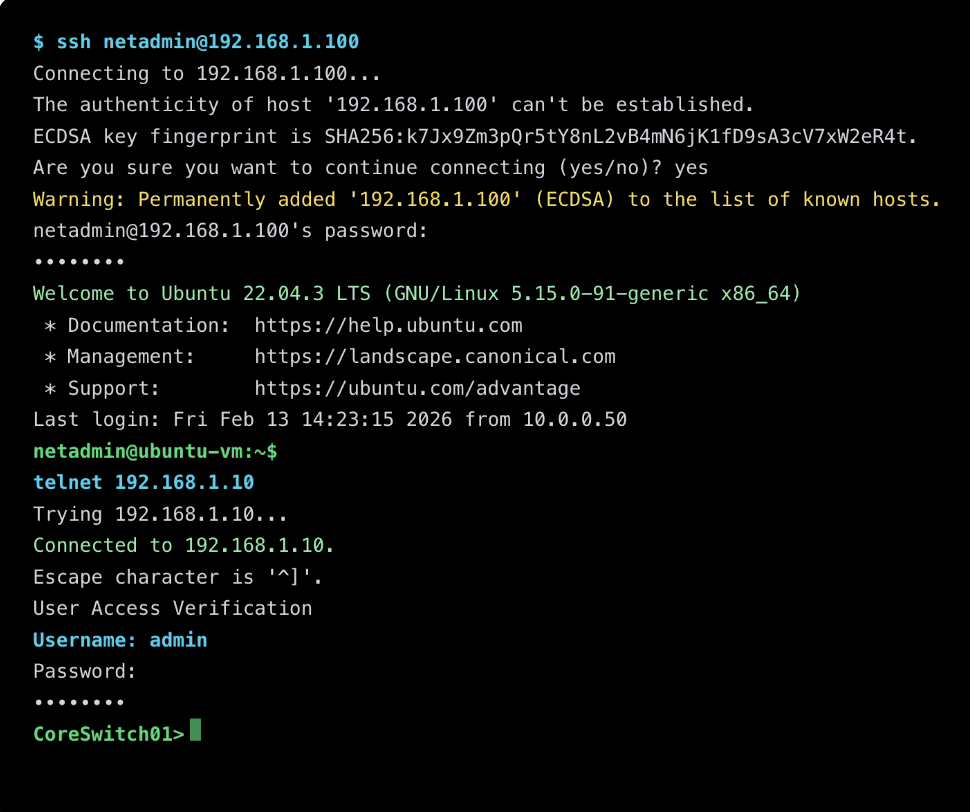
Engineers were forced to manually run soak tests across scattered terminals and files and metrics arrived as raw text, so patterns were easy to miss and progress was hard to share, risking undetected failures reaching customers.
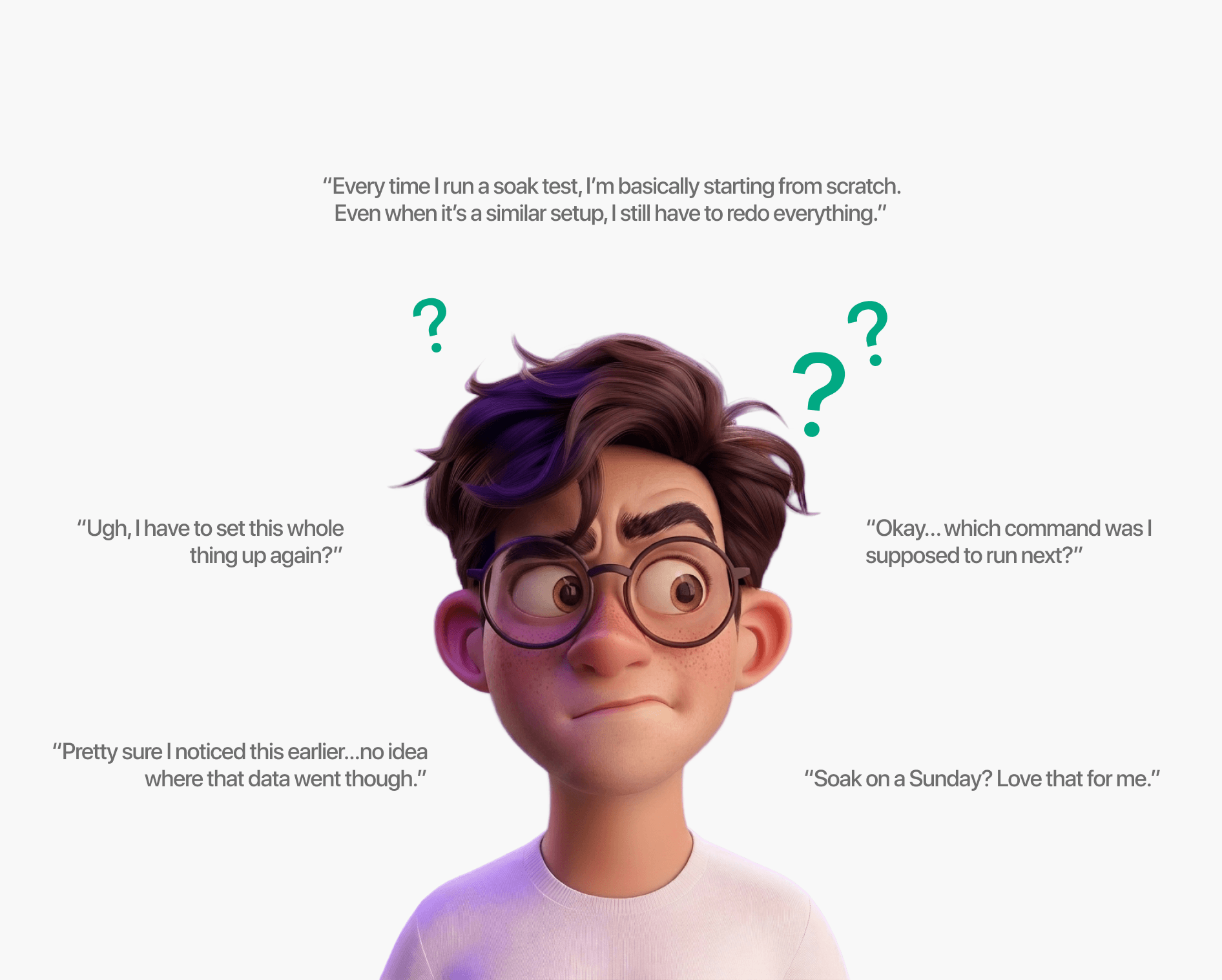
Target User: QA Engineers running soak tests
What 2+ hours of manual setup looks like. For every test.
Research
Contextual Inquiry
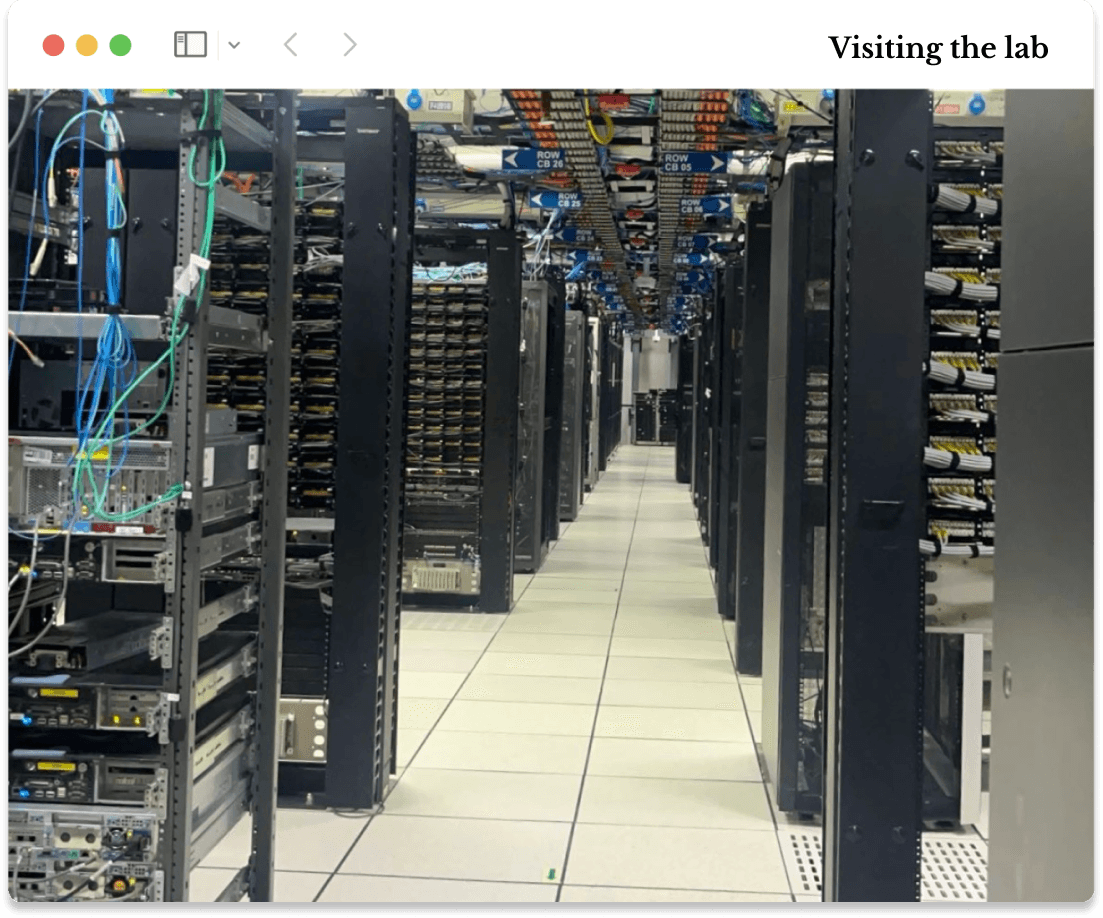
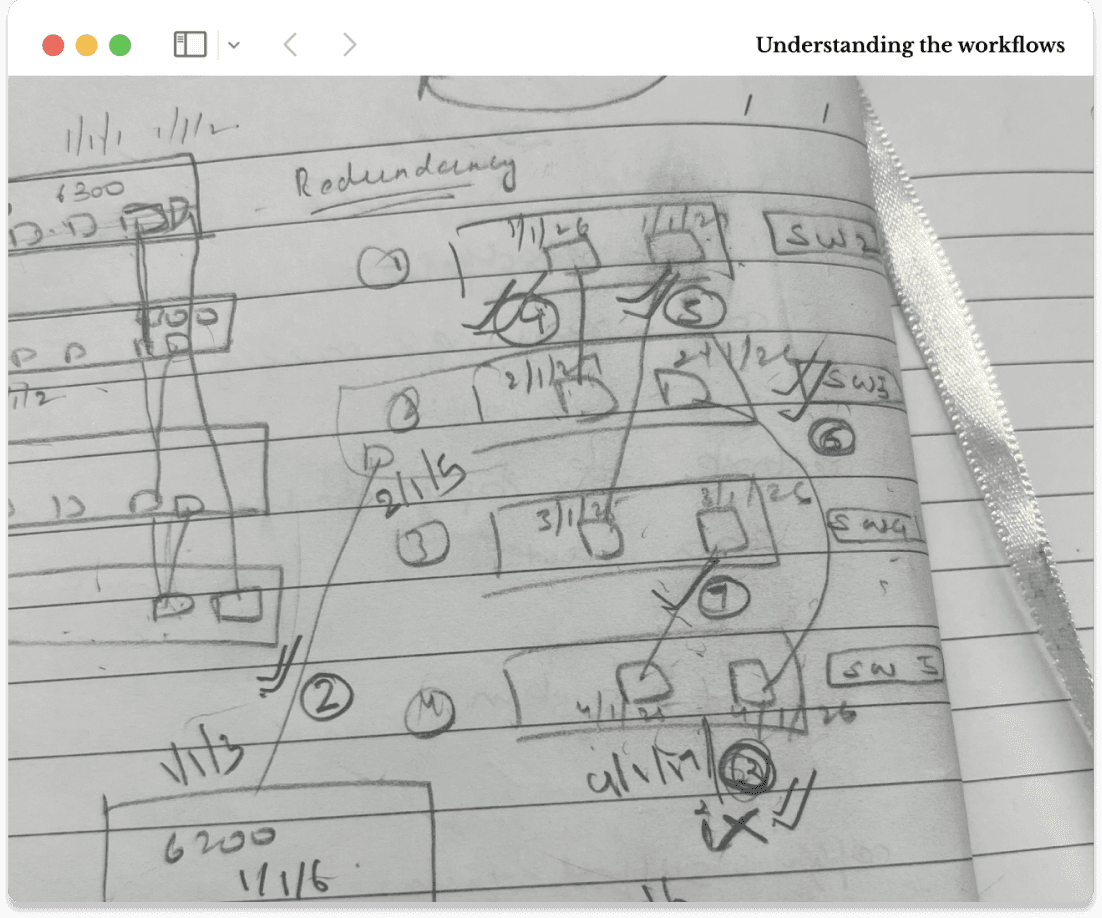
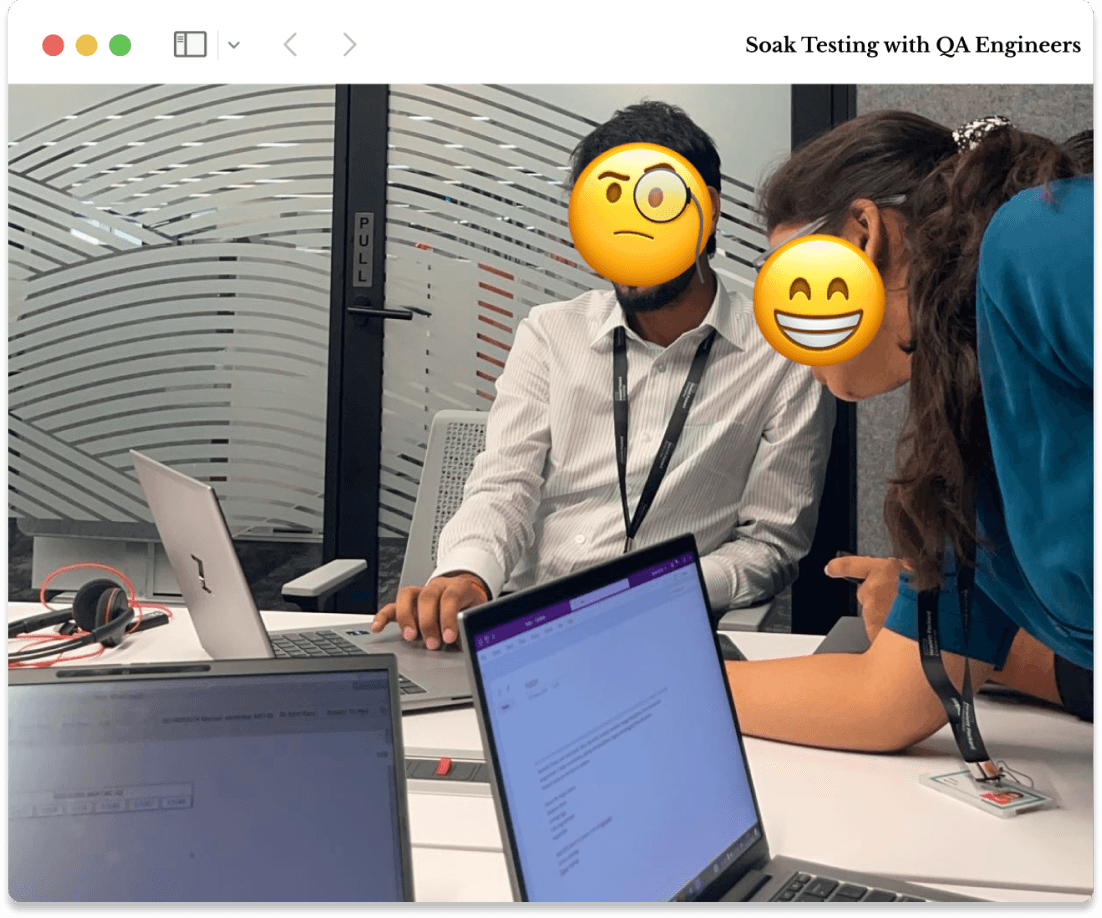
I conducted 6+ contextual inquiry sessions & ran ~20 soak tests to uncover where the process broke down.
Soak testing is technical and context-heavy, many challenges aren’t visible in documentation and only surface during execution. By stepping into their workflow, I could surface real-time decision points, uncover memory-based workarounds, and understand the cognitive load of managing long-running soak tests.
Goals:
Map the end-to-end soak workflow: what happens before, during, and after each run.
Identify the highest-cost friction points, including time sinks and cognitive load.
Understand how engineers analyze results to determine device health.
Key Insight 1
Repeated setup steps slowed engineers before they could start testing.
Engineers repeated the same setup for every soak run, relying on memory and scattered commands instead of a guided flow. This added 2+ hours of daily overhead and delayed time-critical analysis.
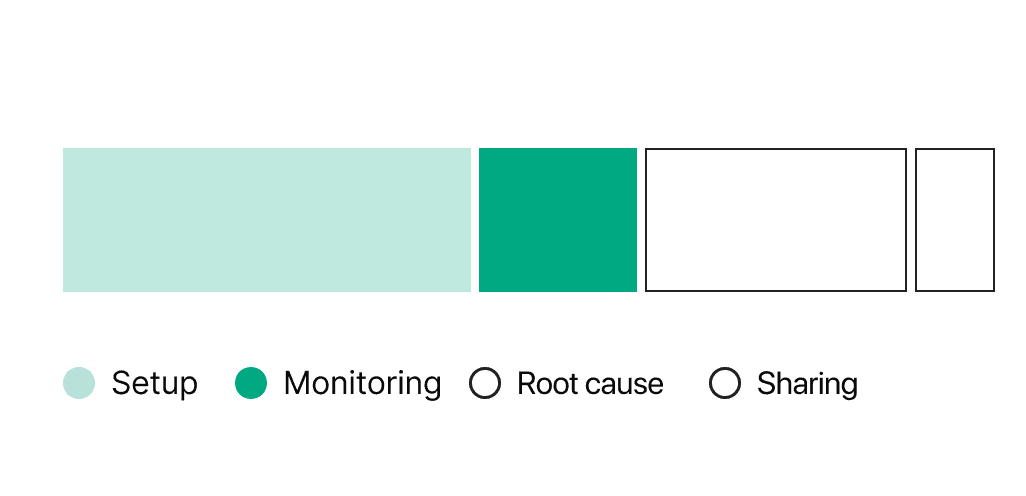
Time breakdown for a typical soak run
Key Insight 2
Scattered metric files slowed root-cause analysis and made long-term failure patterns easy to miss.
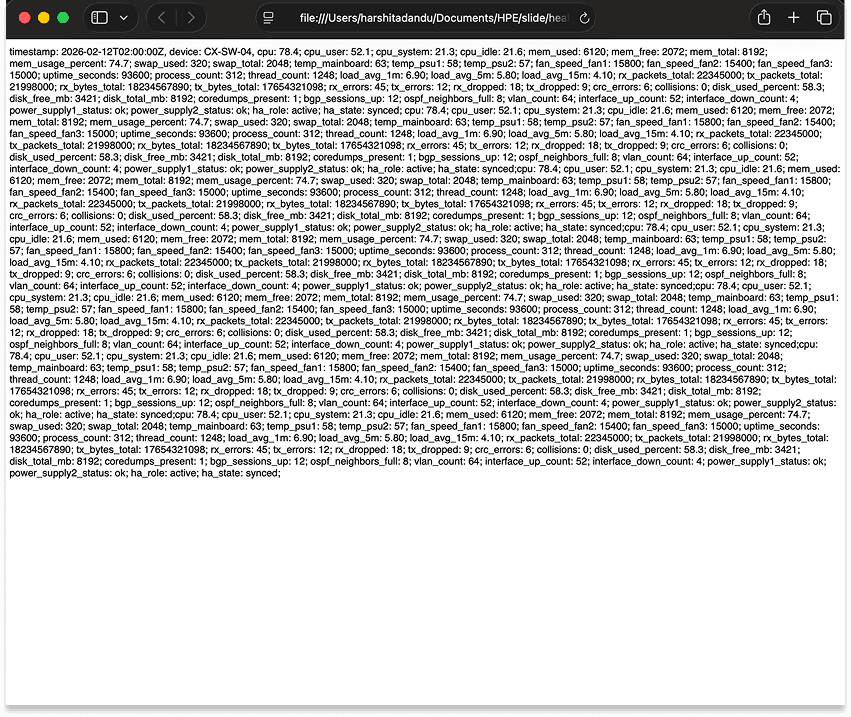
Health metrics like CPU, memory, and system stats were logged as raw text without hierarchy or visualization, forcing engineers to manually compare values across timestamps to identify issues.
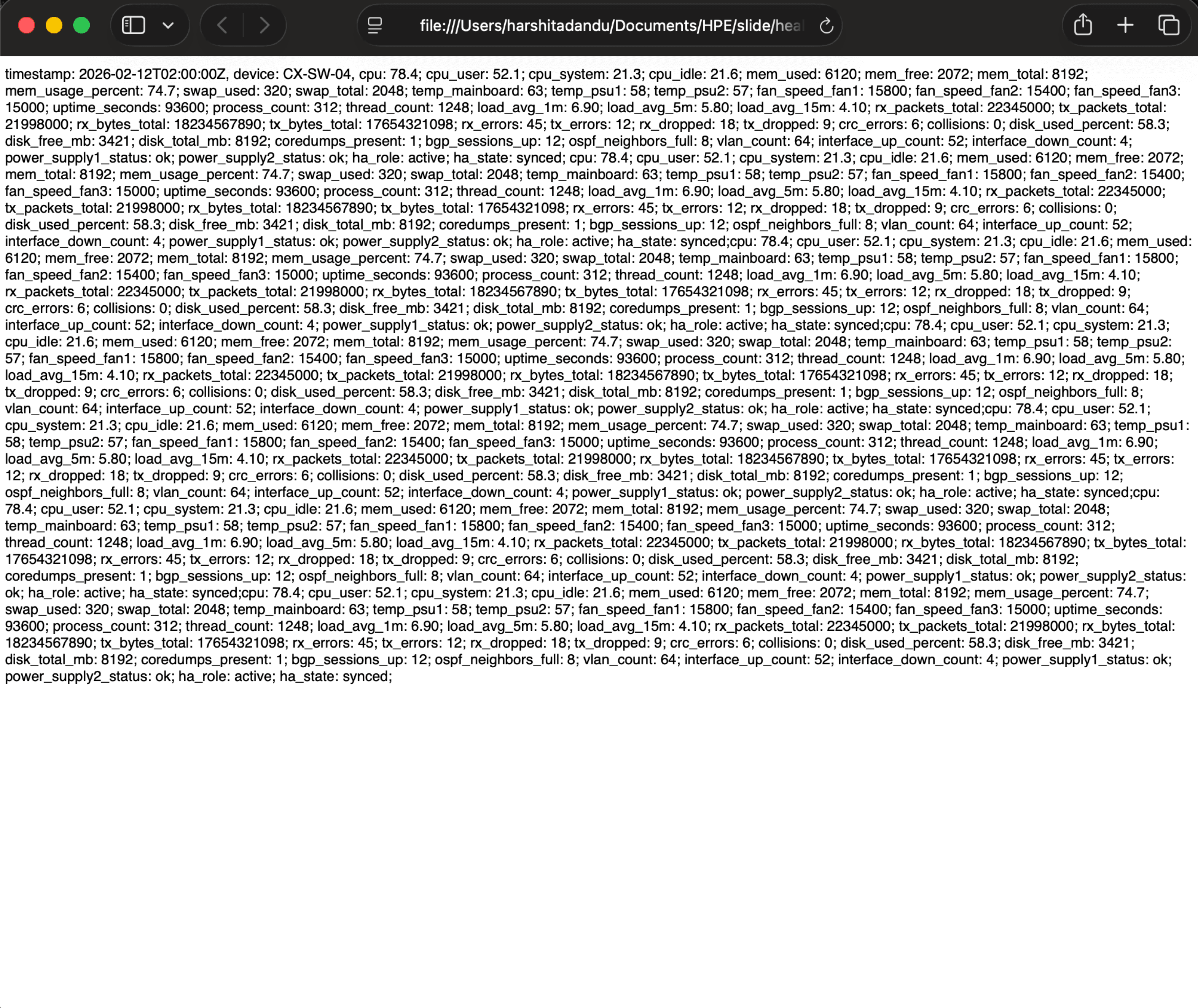
20+ files, 100+ lines each, compared manually for each run.
Solution Ideation
How might we reduce setup friction and make system behavior easier to understand, so engineers can quickly
identify issues and ship reliable products?
I worked closely with software engineers and QA stakeholders to pressure-test ideas against what we learned in from research while staying honest about timeline, technical constraints, and what we could ship in 4 months.
Introducing SoakMaster
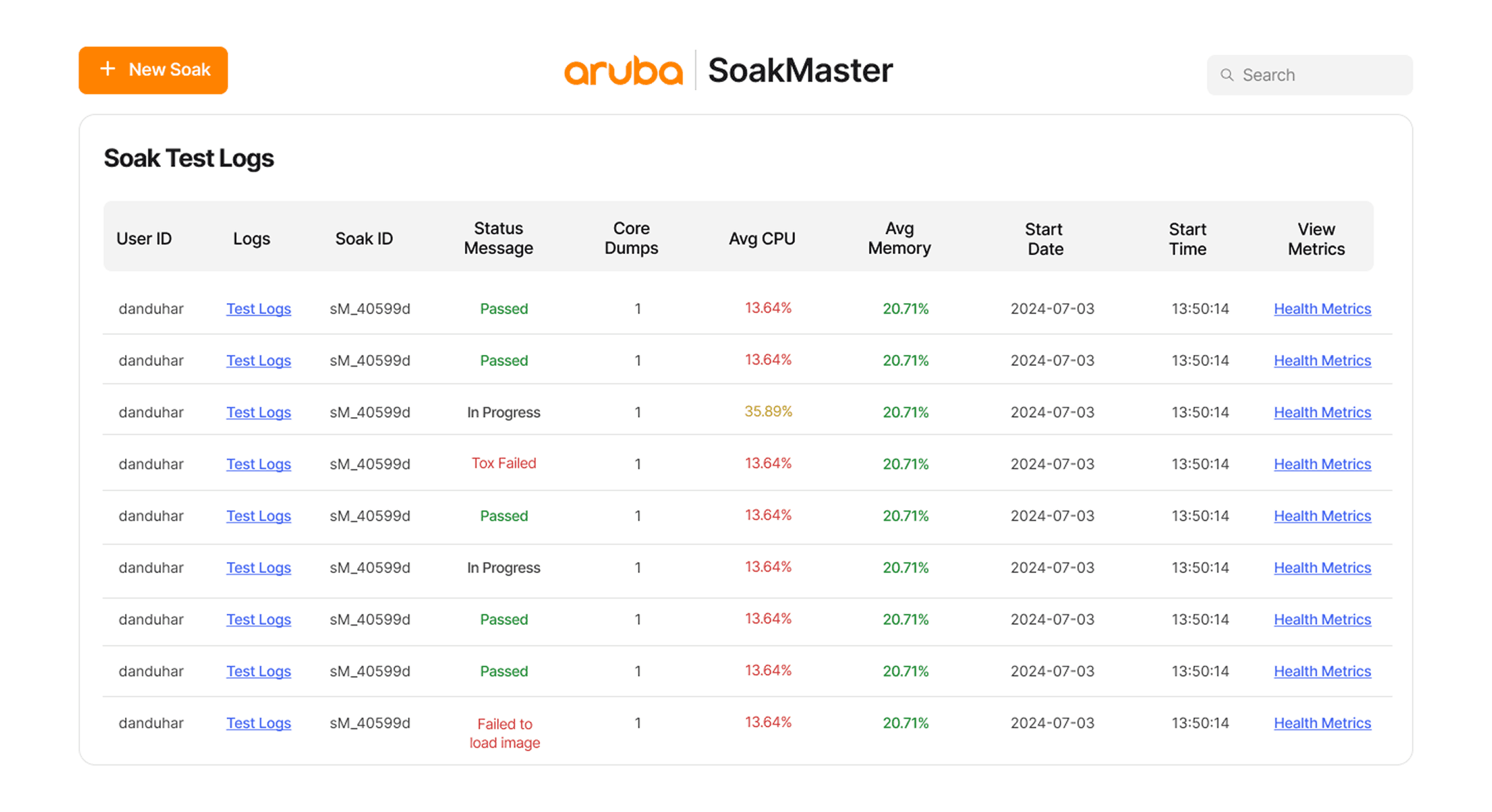
Dashboard to view all soak runs, statuses, test logs and their health in one place.
The dashboard surfaces all ongoing and completed soak runs in one place, showing status, resource usage, and failure indicators at a glance. This gives engineers immediate visibility into the health and progress of testing without digging through logs.
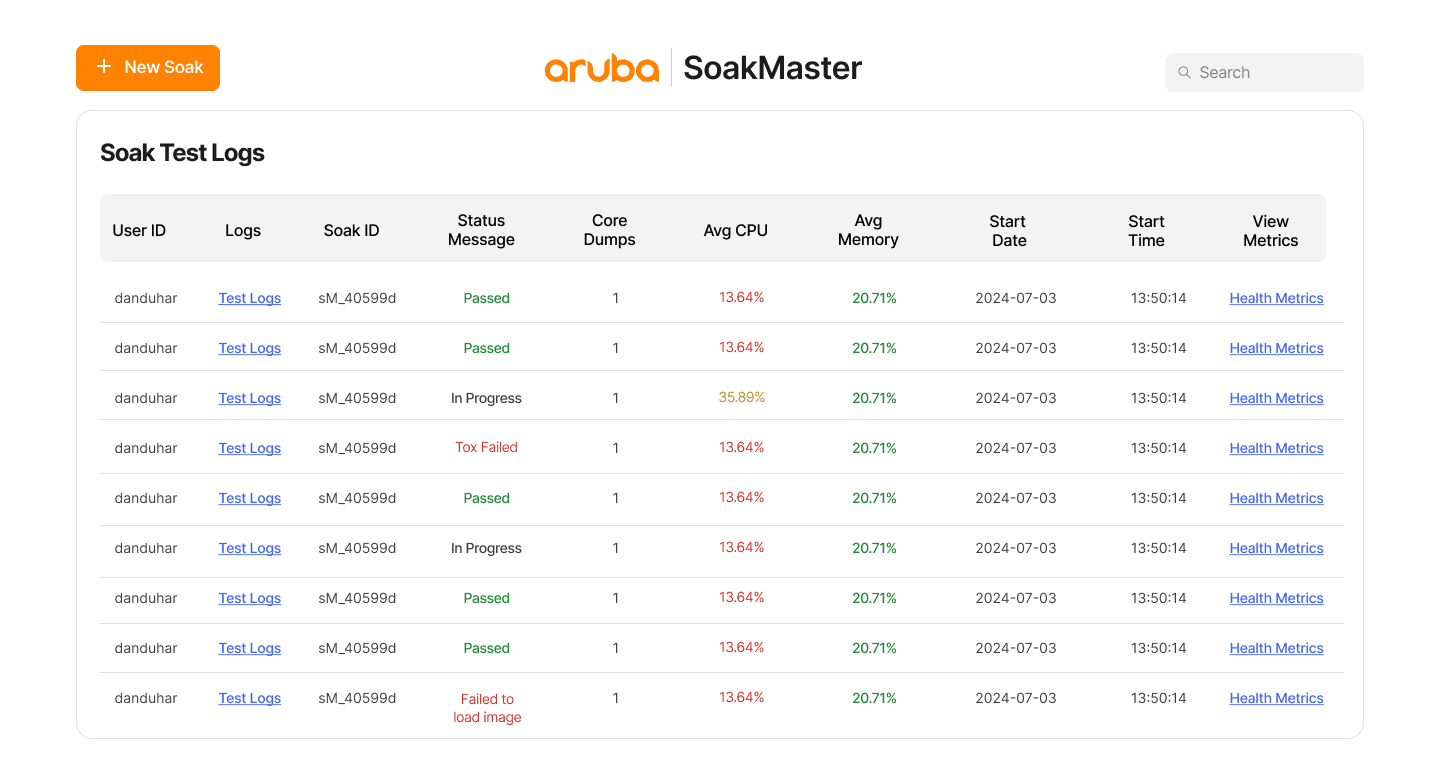
Prominently place CTA to reduce friction when starting tests
Status labels flag which runs need attention at a glance
Unified log links for faster root-cause analysis
Search to locate any soak run instantly as tests scale
A guided form that replaces memory-based input, making test setup faster and less error-prone.
Research showed that engineers repeatedly re-entered the same soak configuration details across runs, often relying on memory and manual notes. This guided setup form structures those inputs into clear, labeled fields, making test configuration faster, more consistent, and less error-prone.
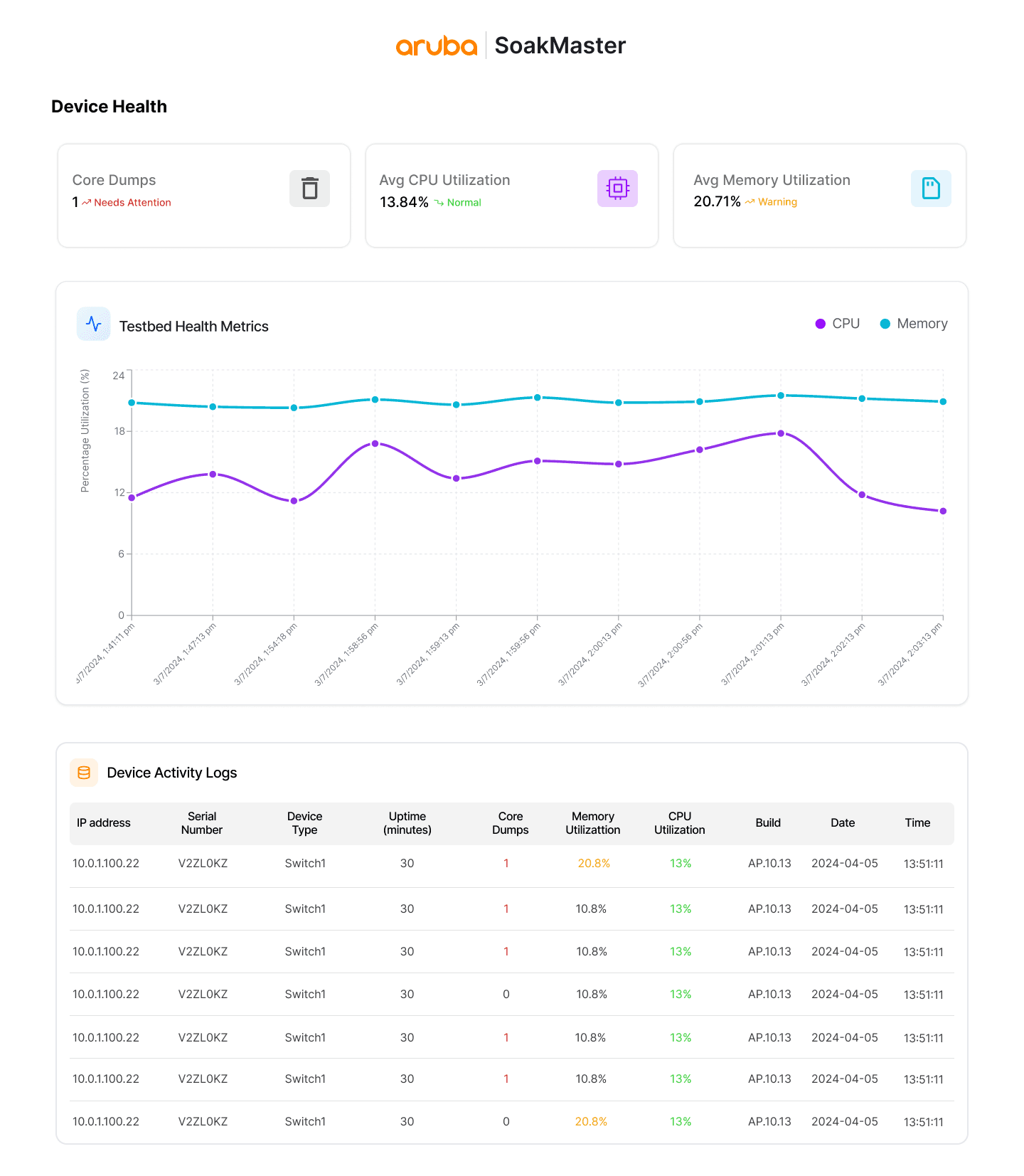
Summary chips flag key issues instantly and line graphs surface trends over time.
SoakMaster tracks key indicators like CPU usage, memory usage, and core dumps, metrics that commonly reveal long-term stability issues such as system crashes or resource leaks. Visual trends make it easier to identify gradual increases or sudden spikes that indicate potential reliability issue.
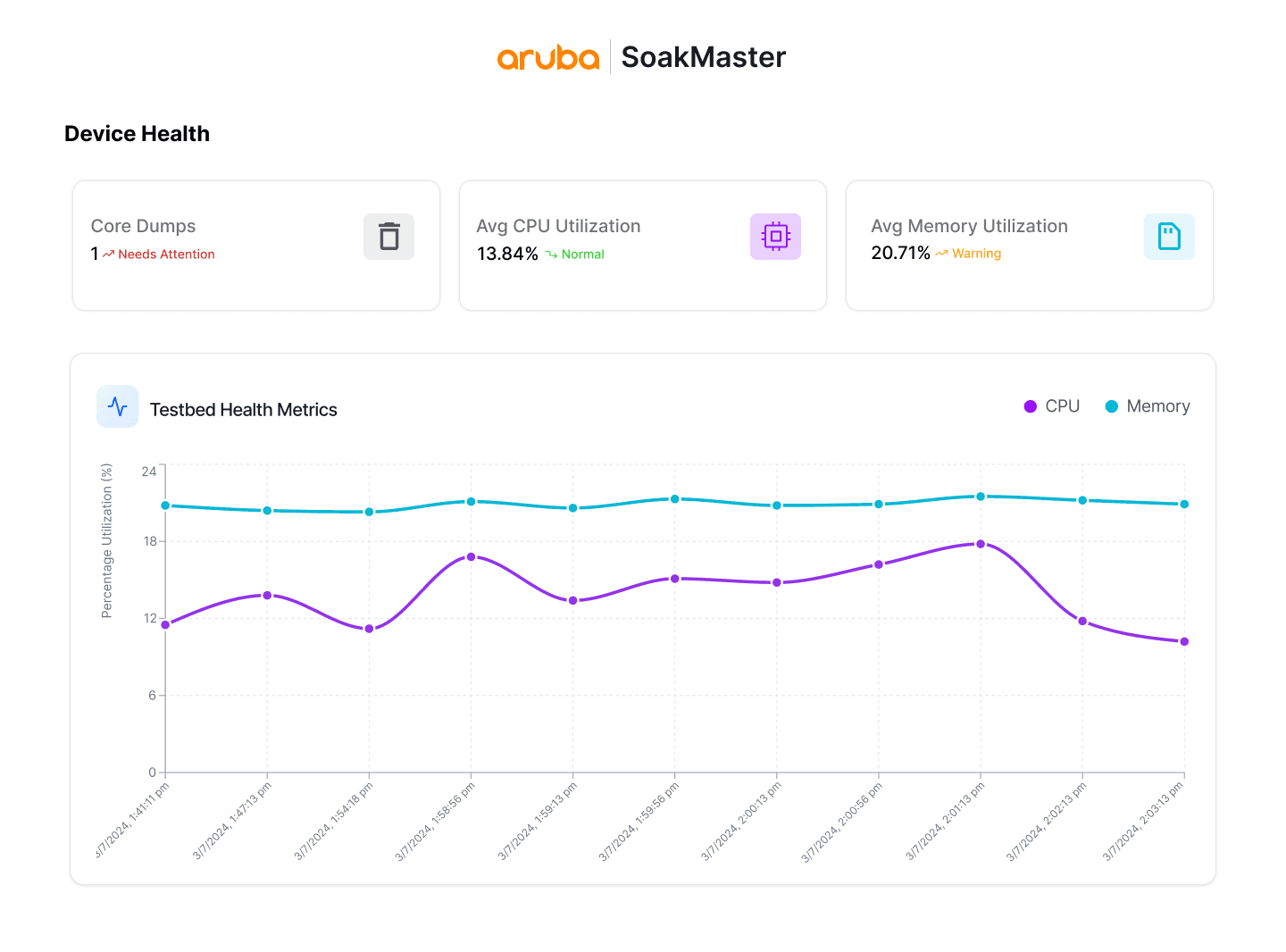
Summary chips flag the key issues immediately

Line graphs show gradual trends, CPU or memory climbs, at a glance
Reflections
Pitching beyond the brief pays off. The team asked for automation. Research told me visibility mattered just as much. Advocating for visualization turned a utility tool into something engineers actually wanted to open every morning.
Accessibility is a design decision, not a polish step. I retrofitted contrast and hierarchy improvements after the MVP even though it worked, but building them in from the start would have saved a full iteration cycle.
Psst, you've reached the end…how about another story?
Say hello <3
Would love to talk projects, collaborations, or anything design!


Made with <3
Hewlett Packard Enterprises
HPE Aruba Networking ships enterprise switches to 100K+ global customers. Before release, QA engineers spent 2+ hrs daily setting up stress tests instead of analyzing results.
I led the end-to-end design, working closely with engineers to ship a production-ready dashboard now used by 40+ QA engineers, reducing manual effort by 81%.
Role
Product Strategy,
UX Research & Design,
Full-Stack Development
Team
1 Product Design Intern (Me),
1 Senior Manager
2 Software Developer
8 QA Engineers
4 Months, 2024
The Mission
Replacing a fragmented, manual QA Soak Testing process with a single dashboard.
The goal was to simplify setup, make system behavior easier to understand over time, and help engineers focus on understanding failures.
Reduced test setup time rom 2+ hours to under 5 min for every soak run
The Problem
Manual soak workflows forced QA engineers to spend more time on setup and log-hunting than on analysis.
Engineers were forced to manually ran soak tests across scattered terminals and files and metrics arrived as raw text, so patterns were easy to miss and progress was hard to share, risking undetected failures reaching customers.
Target User: QA Engineers running soak tests
What 2+ hours of manual setup looks like. For every test.
Research
Contextual Inquiry
I conducted 6+ contextual inquiry sessions & ran ~20 soak tests to uncover where the process broke down.
Soak testing is technical and context-heavy, many challenges aren’t visible in documentation and only surface during execution. By stepping into their workflow, I could surface real-time decision points, uncover memory-based workarounds, and understand the cognitive load of managing long-running soak tests.
Goals:
Map the end-to-end soak workflow: what happens before, during, and after each run.
Identify the highest-cost friction points, including time sinks and cognitive load.
Understand how engineers analyze results to determine device health.
Key Insight 1
Repeated setup steps slowed engineers before they could start testing.
Engineers repeated the same setup for every soak run, relying on memory and scattered commands instead of a guided flow. This added 2+ hours of daily overhead and delayed time-critical analysis.
Time breakdown for a typical soak run
Key Insight 2
Scattered metric files slowed root-cause analysis and made long-term failure patterns easy to miss.
Health metrics like CPU, memory, and system stats were logged as raw text without hierarchy or visualization, forcing engineers to manually compare values across timestamps to identify issues.
20+ files, 100+ lines each, compared manually for each run.
Solution Ideation
How might we reduce setup friction and make system behavior easier to understand, so engineers can quickly
identify issues and ship reliable products?
I worked closely with software engineers and QA stakeholders to pressure-test ideas against what we learned in from research while staying honest about timeline, technical constraints, and what we could ship in 4 months.
Introducing SoakMaster
Dashboard to view all soak runs, statuses, test logs and their health in one place.
The dashboard surfaces all ongoing and completed soak runs in one place, showing status, resource usage, and failure indicators at a glance. This gives engineers immediate visibility into the health and progress of testing without digging through logs.
Prominently place CTA to reduce friction when starting tests
Status labels flag which runs need attention at a glance
Unified log links for faster root-cause analysis
Search to locate any soak run instantly as tests scale
A guided form that replaces memory-based input, making test setup faster and less error-prone.
Research showed that engineers repeatedly re-entered the same soak configuration details across runs, often relying on memory and manual notes. This guided setup form structures those inputs into clear, labeled fields, making test configuration faster, more consistent, and less error-prone.
Summary chips flag key issues instantly and linne graphs surface trends over time.
SoakMaster tracks key indicators like CPU usage, memory usage, and core dumps, metrics that commonly reveal long-term stability issues such as system crashes or resource leaks. Visual trends make it easier to identify gradual increases or sudden spikes that indicate potential reliability issue
Summary chips flag the key issues immediately
Line graphs show gradual trends, CPU or memory climbs, at a glance
Summary chips flag the key issues immediately
Line graphs show gradual trends, CPU or memory climbs, at a glance
Reflections
Pitching beyond the brief pays off. The team asked for automation. Research told me visibility mattered just as much. Advocating for visualization turned a utility tool into something engineers actually wanted to open every morning.
Accessibility is a design decision, not a polish step. I retrofitted contrast and hierarchy improvements after the MVP even though it worked, but building them in from the start would have saved a full iteration cycle.

Psst…this is just a preview, view the complete journey on a larger screen!
That's a wrap!
Psst, you've reached the end…how about another story?
Say Hello!
My spidey-sense says we’d get along ;)
Made with coffee(lots of it) & duck-approved decisions

©️2026